






Don’t forget to share this post!

20 Must-Have WordPress Plugins for 2020
IBF Entrepreneur Online –
A new WordPress user can easily get confused about which plugin to use on their site because there are more than 37,400 plugins in the WordPress Plugin Repository, not to mention premium WordPress plugins which you get in marketplaces such as codecanyon and various other platforms.
But there’s no need to worry, we will guide through the must-have WordPress plugins that will make your WordPress blog SEO friendly and give your audience great user experiences.
Can You Do Without Plugins?
Probably not, these plugins are the building blocks of your WordPress site. They bring in the important functionality to your website as well as charm with the huge repository of WordPress plugins that make your platform rich in a real sense.
Getting started
Once you decide to create your blog on the WordPress platform, select a good quality WordPress hosting provider to give you easy WordPress installation options.
After WordPress is set on your site, install a quality WordPress theme that is close to your requirement regarding quality and features.
Now, many modern WordPress themes come with a set of recommended plugins which you must install, they bring in the required features to the theme and are part of the package as a whole.
However, we are not going to talk about theme-specific plugins, but ones that are for all general WordPress websites.
Before we proceed, one thing you must understand is to keep the number of plugins to a minimum as every additional plugin will slow down your site to a certain extent. So, make sure that you use only the important and good quality plugins.
Now, let’s check out the top WordPress plugins you must have on your site.
Important WordPress Plugins for Every Blog
1. DragDropr
If you don’t know how to code, then you don’t have the skills to build an attractive website from scratch. However, hiring a professional web designer to help can be is expensive.
DragDropr is the perfect solution to this problem. With this plugin, you can create pages for your site by simply dragging and dropping the elements you want on each page, there are over 200 pre-designed and fully editable content blocks to choose from. It allows anyone to create a great-looking website at a fraction of the cost of hiring a designer.

2. WordPress SEO by Yoast
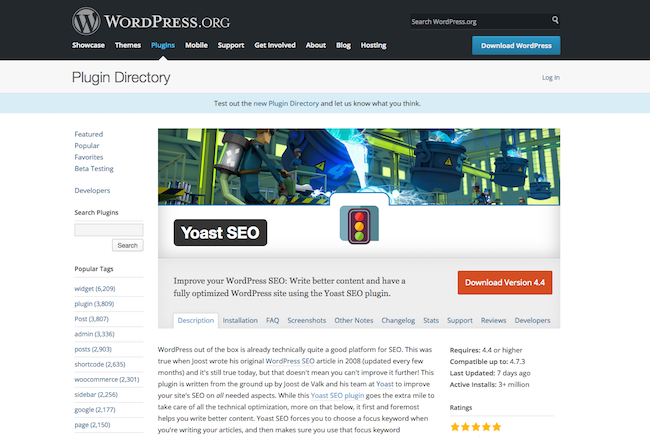
One of the most popular and widely used plugins is WordPress SEO by Yoast, which brings in all the important SEO related features to your site. We like the one-page SEO feature by this plugin, it’s useful for any WordPress user as it provides you a glimpse of how well your blog post is optimized.
It creates the XML sitemap for your site, and you don’t need to use any other WordPress plugin for creating the sitemap for you.
3. W3 Total Cache
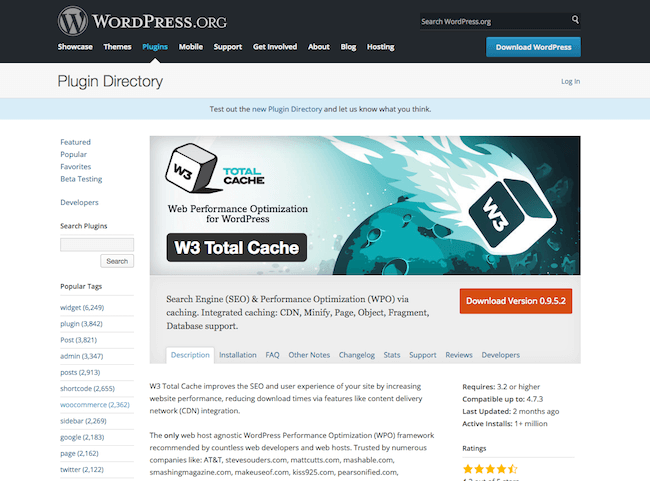
W3 Total Cache is one of the most popular caching plugins for WordPress. This plugin offers some options to optimize your site, and if it is configured properly, you will see a difference regarding performance.
Newbie users may find the settings a little complicated initially. However, there is number of amazing tutorials on how to set up W3 Total Cache, for example, check this tutorial by wpbeginner.
4. Jetpack
Jetpack is a collection of amazing features that supercharges your site with many useful functionalities.
Jetpack is a combination of many plugins in one. Starting from site security to optimizing user engagement, it provides you with all the important features.
With Jetpack, you can have social sharing features, contact forms, CDN services, email subscription forms, and many other services.

5. Monarch
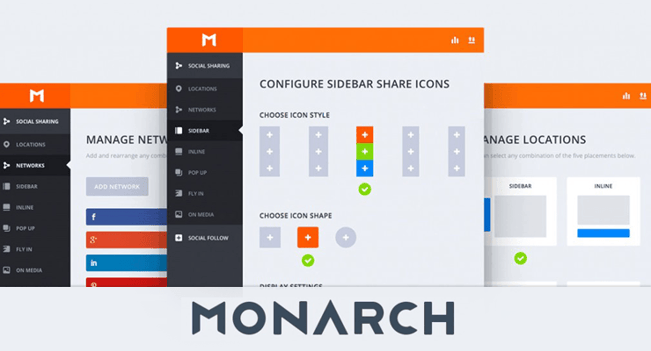
Monarch from ElegantThemes is one of the best social sharing plugins for WordPress. This plugin provides you completely modern options to show social sharing buttons on your site and increase the share count of your content dramatically.
This plugin will bring in visually appealing buttons that you can strategically place to increase the number of social shares to help you get traffic from social sites and better rankings for your blog posts on search engines such as Google.
6. Google XML Sitemaps
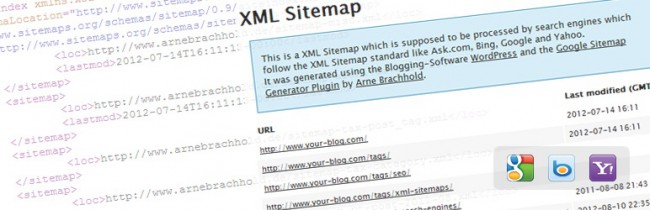
Sitemaps make it easier for search engine crawlers to find the important pages and posts of your WordPress site retrieve it more efficiently. Google XML Sitemaps supports all kinds of WordPress generated pages and custom URLs.
Recommended Alternative: WordPress SEO by Yoast Sitemap
The security of your WordPress site is very important, and shouldn’t be ignored. iThemes Security plugin is one of the most effective WordPress plugins for securing your WordPress setup. It gives you over 30+ ways to secure and protect your WordPress site. This plugin comes with a pro version, which provides you, even more, features to secure your site.

8. WP-Optimize
WP-Optimize is a very important plugin for any site that has an extensive WordPress database cleanup and optimization tool. It doesn’t require PhpMyAdmin to clean and optimize your database tables. It cleans up all unnecessary elements such as auto drafts, stale unapproved, and spam comments as well as other things that are occupying the database without adding any value to your site.
This plugin is very easy to use, you can remove all unnecessary things and clean up your database with the click of a button.

Contact Form 7 is the most popular and free contact form plugin for WordPress that is undoubtedly one of the most important and must-have WordPress plugins. This plugin is very easy to use and provides you all the important features you need on your contact page.

10. WP Smush.it
It’s really important for any site to optimizes images files to help improve site speed, and doing it manually for every image can be a real task. But, WP Smush.it is a plugin that comes to your rescue as it automatically runs images through the optimization process behind the scene.

11. Bloom
The Bloom email opt-in plugin is one of the best mailing list busing plugins for WordPress and offers tons of options regarding design and templates.
It comes with more than 100 pre-made email subscription templates that you can use on your site or customize as per your requirement.
Bloom offers you some options for placement of the form as well. You can show a nice looking attractive popup which you can trigger depending on many factors, you can page sidebar widgets or place it below each post as you wish.
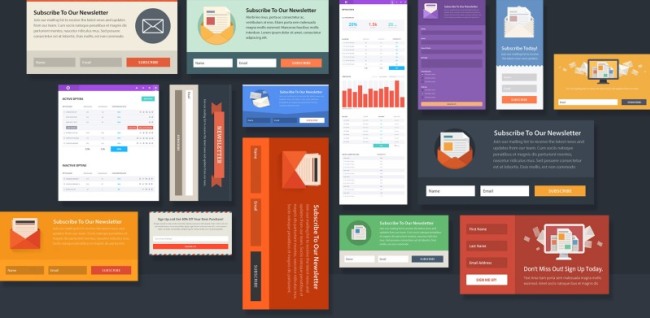
We always promote the WP Notification Bar Pro plugin wherever possible because we believe this as one of the most useful plugins for WordPress, and we use this plugin in SourceWP to showcase special offers whenever we have any.
A notification bar plugin is very important for any WordPress blog or even the business site because a nicely designed notification bar is the best way to capture the attention of your visitors. A quality notification bar plugin like this can do a lot more than just capture attention.
With this bar plugin, you can create a text link, button link, or countdown to show any special offers as well as the timing of the offer. You can use this plugin to show social shares and follow links to encourage your users to follow your site, and you can use this bar plugin as an opt-in email form.
The plugin is extremely easy to use, once you activate it. You will have the option to set up a bar in the WordPress admin called notification bar, which works as a custom post type. You can set all the details of your bar and choose the type of bar from a variety of options such as text, button, email subscription, countdown timer, social media button, popup video, search form, and more.

13. BJ Lazy Load
BJ Lazy loading makes your site load faster and saves bandwidth by making the images load lazily. Uses jQuery and degrades gracefully for non-js users. It automatically serves scaled down images in responsive designs.

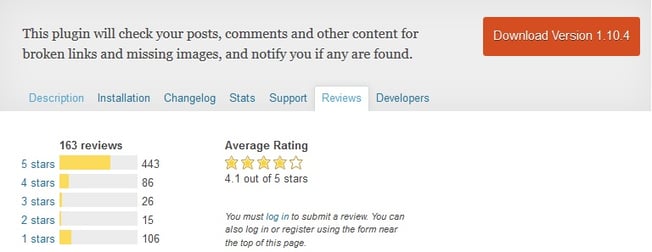
Broken links can affect your site negatively as far as SEO is concerned. The Broken Link Checker is the best WordPress plugin to check broken links on your site so that you may fix them. The SEO agencies will charge you hundreds of dollars to fix the SEO related issues like finding broken links and fixing the theme, but here is a top-quality free plugin that will do that job for you.
15. My WP Backup Pro
My WP Backup Pro is a very strong backup plugin for WordPress that is created by MyThemeShop. In all their products, they bring user-friendly interfaces so even a complete newbie can make the best use of it and maintain a high standard regarding quality.
This backup plugin will help you to keep your WordPress blog safe in any circumstances. This WordPress backup plugin offers you all the features you may expect in a high-quality backup plugin.
With this plugin, you can schedule an automated backup of your WordPress site data and files to any email of your choice. You can also take the backup manually if you want to. The restoration process is quick and easy.
With My WP Backup Pro plugin, you can backup your site to any FTP, email, Google Drive, or Dropbox as well as Amazon S3 and Amazon Glacier as per your requirement.
You have some amazing paid alternatives, such as Vaultpress and BackupBuddy, that will offer you quality service for backing up your WordPress site.

An email subscription plugin is a must-have WordPress plugin for any site, and WordPress Subscribe Pro is a great plugin that is not as costly as other similar plugins, plus it offers you options to optimize your subscription form.
This plugin offers you some options regarding the placement of the email subscription widget. You can set fully customized popups to capture emails of your users with complete control over the trigger timing.

The WordPress plugins mentioned above are some of the most important must-have WordPress plugins to start with your site, however, you can add more plugins to bring you even more features.
Below we’ve mentioned some additional important WordPress plugins that can take your site to the next level.
17. BuddyPress
If you want to create a community site on the WordPress platform, you have to use this plugin. BuddyPress is open-source software, like WordPress, with the most effective and easiest tools to create a social networking site.
However, BuddyPress doesn’t work with all the WordPress themes, you will have to install one that supports it.
We’ve already listed the best BuddyPress themes, which you can check out to get started with your community site.

18. PubSubHubbub
The PubSubHubbub plugin is a simple way to let people know in real-time when your blog is updated. It’s widely adopted and used by Google Reader, Google Alerts, and many other services.

19. Redirection
Redirection is a WordPress plugin that manages 301 redirections, keeps track of 404 errors, and tidies up any loose ends your site may have. This is particularly useful if you are migrating pages from an old website or changing the directory of your WordPress installation.

20. P3 Profiler
Once you install all the required WordPress plugins, you will need this plugin to keep track of the resources used by each plugin and how they’re affecting your site. This plugin creates a profile of your WordPress site’s plugins’ performance by measuring their impact on your site’s load time.

Conclusion
The must-have WordPress plugins mentioned above are great to get you started with your website. We know that there are even more plugins that deserve recognition, and many types of WordPress plugins we didn’t touch on, such as CRM plugins for your site.
Get the all-in-one marketing and lead form plugin for your WordPress website.
Originally published Jan 1, 2020 8:00:00 AM, updated February 12 2020
Source: HubSpot